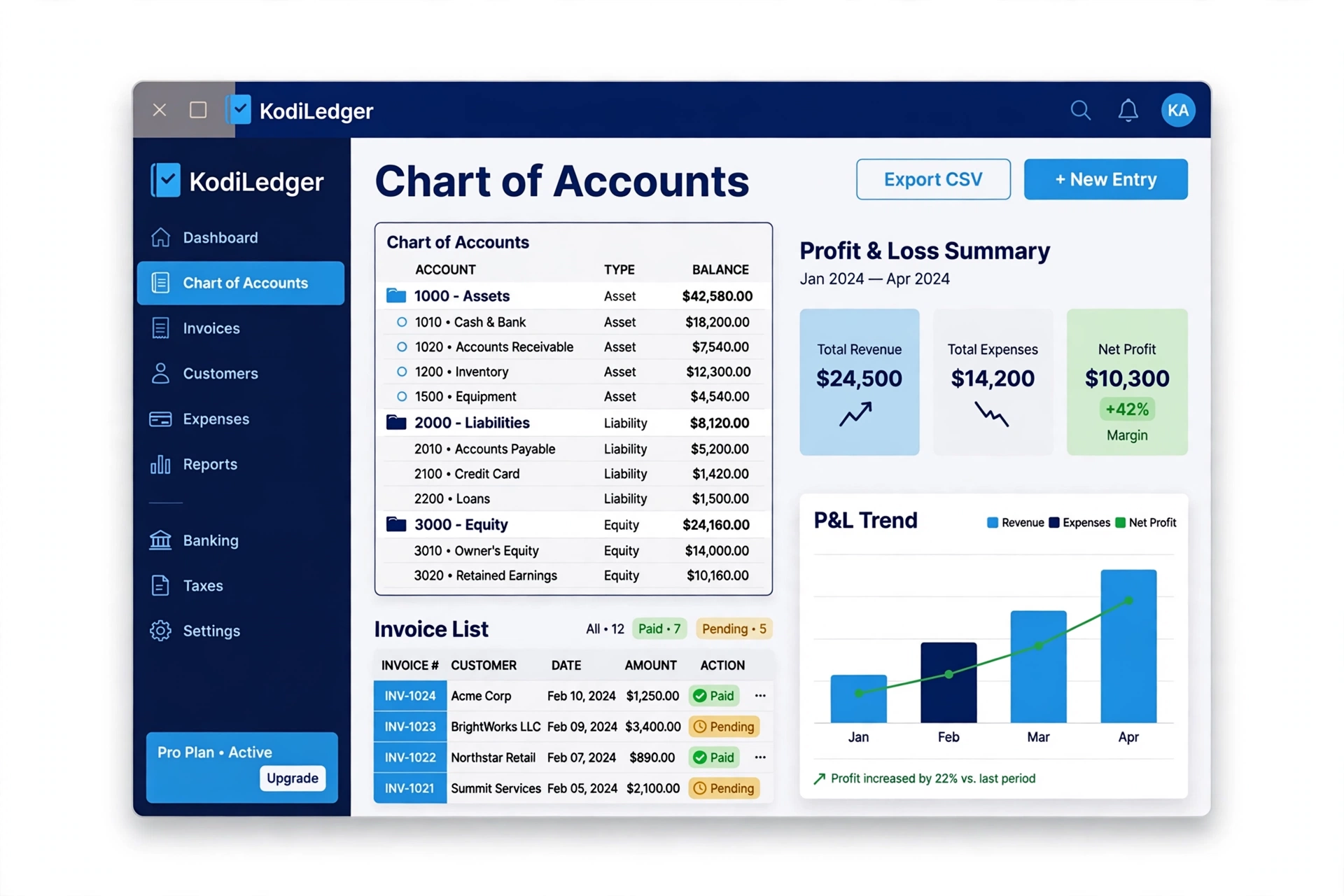
Bookkeeping software for small business keeps your money records — invoices you send, bills and expenses you pay, and the reports that show whether you are actually making a profit — in one organised system instead of in a shoebox, a notebook and your memory. Good bookkeeping is not paperwork for its own sake: it tells you what you are owed, what you owe, and whether the business is healthy, and it makes tax time a printing exercise instead of a panic. This guide covers what the software should do, how it changes your habits for the better, and how to choose without overpaying.
What “the books” actually are
Bookkeeping sounds like accounting jargon, but the underlying records are simple. Every business, however small, has the same four streams:
- Money in from customers — sales and invoices, paid and unpaid.
- Money out for the business — stock, rent, transport, utilities, supplies, fees.
- Money you are owed — customers who bought on credit or have not yet paid an invoice.
- Money you owe — suppliers, loans, and taxes that will come due.
When those four streams are written down as they happen, everything else — a profit report, a tax declaration, a loan application — is just a summary of records that already exist. When they are reconstructed in a rush at year-end from bank statements and memory, the summary is wrong in ways you will never find, and some of the errors will cost you money.
What the software does for you
Invoices that look professional and get paid. Create an invoice in a minute with your business name, the items, the taxes if they apply, and a payment link or instructions. The system numbers invoices automatically, tracks which are paid and which are overdue, and makes it easy to send a polite reminder. An unpaid-invoice list you can see is worth money: most late payments are not refusals, they are forgetfulness — yours as much as the customer’s.
Expenses captured before they vanish. The taxi fare, the market purchase, the phone credit for the business line — small expenses are the ones that disappear. Recording them the same day, in a few taps, is the difference between books that match reality and books that are a story. Many owners photograph receipts with their phone and attach them to the expense, so the paper can go in the bin.
Reports that answer real questions. Not accounting decoration — answers: Did I make a profit this month? Which product line earns and which one only keeps me busy? Who owes me money right now? How much tax should I be setting aside? A monthly look at three reports — profit and loss, who owes you, what you owe — is the single most valuable hour in a small business’s month.
Tax-ready all year. When every sale and expense is already recorded and categorised, preparing a tax declaration becomes a matter of producing the totals. You also stop overpaying through lost deductions: the expense you forgot is a deduction you never claim.
Habits matter more than features
Software cannot fix a habit of “I’ll write it down later”, because later never comes and the details are gone. The owners who get value from bookkeeping software share three habits:
- Same-day recording. Sales flow in automatically if your till or invoicing is connected; expenses get entered the day they happen. Five minutes daily beats five days in December.
- Business money and personal money stay separate. One account (or one wallet) for the business, one for you. The moment they mix, your books stop meaning anything, and untangling a year of mixed transactions is the most expensive bookkeeping there is.
- A monthly closing ritual. One fixed hour a month: check the unpaid invoices and chase them, confirm the expense list is complete, read the profit report, set aside the tax amount. Businesses rarely die from one bad month; they die from six unnoticed ones.
Choosing software: what to check
- Built for businesses your size. Enterprise accounting systems carry chart-of-accounts complexity (a chart of accounts is simply the list of categories your money is sorted into) that a small shop does not need. You want plain categories in plain words: Sales, Stock purchases, Rent, Transport, Utilities.
- Invoices and expenses first. Some products are strong on invoicing and weak on expenses, or the reverse. You need both, plus the unpaid/overdue view.
- Your currency and your taxes. The software must handle your currency properly and let you apply the tax rates your country uses on invoices, without forcing another country’s tax structure on you.
- Reports you can hand to someone. Your accountant, your bank or the tax office should be able to receive a clean export or printout. If the data cannot leave the software, be careful.
- Real total cost. Check what the entry price includes. Invoicing, expense tracking and basic reports are the core product — if each is a paid add-on, the real price is not the headline price.
- A trial with your real data. Enter a week of your actual sales and expenses. If the profit report at the end of that week makes sense to you, the software fits. If it needs an accountant to interpret, it does not.
Mistakes that cost small businesses money
- Recording sales but not expenses. The books show a fantasy profit, tax is calculated on it, and the owner wonders why the money is never there.
- No receipts for cash purchases. Cash spending without a note is invisible. A photo of the receipt, taken on the spot, takes five seconds.
- Waiting for tax season to “do the books”. Beyond the stress, you lose the management value of the records — the monthly warning signs — which is worth more than the tax filing itself.
- Letting one person be the only one who understands the system. If your bookkeeper leaves, the records should still be readable by you. Choose software you personally understand, even if someone else operates it daily.
Frequently asked questions
Do I still need an accountant if I use bookkeeping software?
For most small businesses, the software replaces the data-entry part of accounting, not the advice. Many owners do their own day-to-day books and use an accountant for the annual declaration or specific questions — which costs far less than handing over a year of unsorted papers.
Can it handle cash sales and cash expenses?
Yes. Bookkeeping is about recording money movements, whatever form they take. Cash sales and cash purchases are entered like any other transaction, marked as cash, so your records match the money in the drawer.
What if I sell in more than one currency?
Businesses near borders or serving tourists often do. Look for software that records each transaction in the currency it happened in and reports totals sensibly. Ask the vendor to show you this during the trial if it applies to you.
Is my financial data private?
Your books are among your most sensitive business records. Use a personal account with a strong password, give staff access only to what their job needs (the cashier does not need the profit report), and make sure you can export your data — your records should never be locked inside a tool you stopped paying for.
Books that take minutes a day, not days a year
KodiLedger is Kodivanta’s bookkeeping system for small businesses: professional invoices with payment tracking, same-day expense recording, a clear view of who owes you and what you owe, and monthly reports in plain language — $15/month. It starts with a 14-day free trial, no card required to start: enter one real week of your business, read the profit report it produces, and you will know whether your books have been telling you the truth.