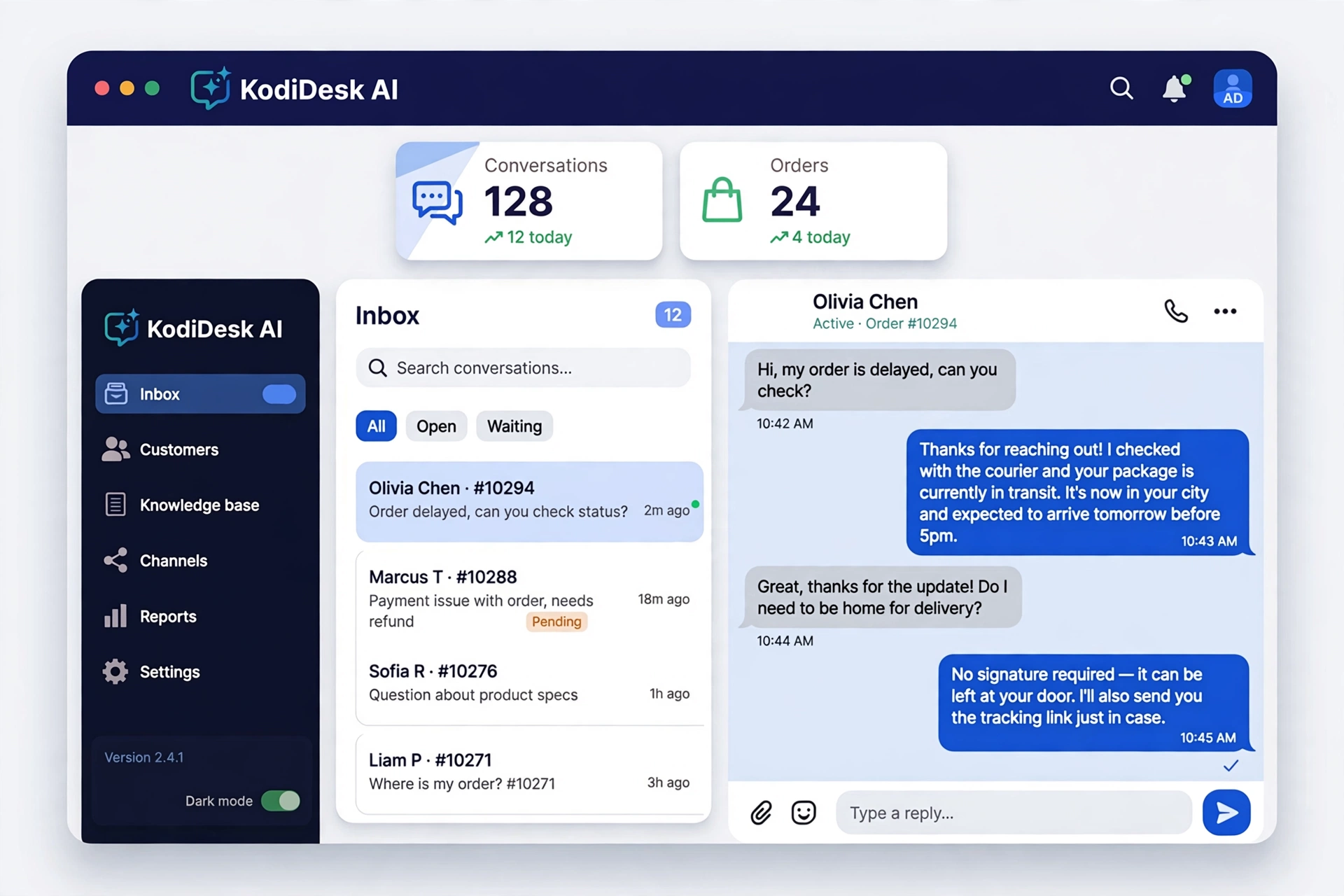
WhatsApp customer service for small businesses means meeting your customers on the app they already use every day, instead of asking them to call, email or visit a website. A customer sends a message — “Do you have this in stock?”, “How much is delivery?”, “I want to book for Saturday” — and gets an answer in seconds. With an AI receptionist connected to your WhatsApp number, those answers can come 24 hours a day, even when you are closed, busy with another customer, or asleep. This guide explains how it works, what it can and cannot do, and how to set it up without hiring extra staff.
Why customers prefer messaging
For most small businesses in the Caribbean, Latin America, Africa and beyond, the phone call is no longer the first contact. Customers message. A pharmacy in Port-au-Prince gets prescription questions by WhatsApp. A clothing shop in Kingston gets “do you have this in medium?” at 9:40 PM. A salon in Bogotá gets booking requests on Sunday morning.
Messaging suits customers because it is free for them, works on a weak connection, and leaves a written record — the price, the address, the appointment time — that they can check later. It suits the business for the same reason: the conversation is written down, nothing depends on someone remembering a phone call.
The problem is volume and timing. One person cannot answer messages at midnight, during the lunch rush and while serving a customer at the counter. Messages that sit unanswered for hours usually become sales for whoever answered first. That gap — between when the customer writes and when a busy owner can reply — is exactly what an AI receptionist is built to close.
What an AI receptionist actually does
An AI receptionist is software connected to your WhatsApp Business number (and, if you want, to Messenger, Instagram and SMS on the same system). It reads each incoming message, understands what the customer is asking, and answers using information you gave it: your products, prices, opening hours, delivery zones, booking rules and policies.
In practice, a good setup handles four jobs:
1. Answering questions instantly. Prices, stock, opening hours, location, delivery costs, payment methods. The customer gets the answer in seconds, at any hour, in their own language.
2. Taking orders. The customer says what they want; the receptionist confirms the items, quantity and total, collects the delivery address, and creates the order. You receive the order ready to prepare — with a payment link the customer can pay online if you use one.
3. Booking appointments. The customer picks a service and a time; the receptionist checks your calendar, books the slot, and sends a confirmation. Automatic reminders before the appointment reduce no-shows — the customer who forgets is reminded, and the one who cannot come can reschedule instead of simply not appearing.
4. Handing off to a human. This is the part that matters most. When a conversation goes beyond the script — a complaint, a complicated request, a customer who is upset — the system must stop and alert you, with the full conversation attached, so you can take over personally. An AI receptionist that cannot hand off gracefully is a liability, not a tool.
What it should never do
Be clear-eyed about the limits, because your customers will judge your business by this software:
- It must only answer from your information. If a customer asks something your business has not provided an answer for, the correct behaviour is “Let me check with the team and get back to you” — not an invented answer. A receptionist that guesses prices or policies creates real problems.
- It must identify itself honestly when asked. Customers accept automated help readily when it is fast and accurate; they resent discovering they were tricked.
- It must respect messaging rules. WhatsApp has strict rules against spam. Customers who never wrote to you first should not receive blasts of promotional messages. Marketing messages belong to customers who agreed to receive them, sent at a reasonable pace.
- Sensitive conversations go to a human. Refund disputes, medical questions at a pharmacy, anything emotional or legal — these are owner conversations.
Setting it up: a step-by-step checklist
You do not need to be technical. The work is mostly writing down what you already know about your business.
- Use a dedicated business number with WhatsApp Business, rather than your personal number. It keeps work and family separate and lets the number stay with the business.
- Write your knowledge base. This is a plain list of questions and answers: your catalogue with prices, opening hours, delivery areas and fees, payment methods, return policy, booking rules. Start with the 20 questions customers ask most. You can add more later — the first version does not need to be perfect.
- Decide what the AI may do alone. Answering questions is low-risk. Confirming an order is usually fine. Promising a discount or a refund is not — route those to you.
- Set your alert method. When a handoff happens, you should be notified immediately — by message or email — with the conversation included, not hours later in a report.
- Test it as a customer. Before announcing it, message your own number at odd hours. Ask the ten hardest questions your customers ask. Read every answer as if you were the customer. Fix the knowledge base where answers are weak.
- Tell customers it exists. A sign in the shop, a line on your receipts, a post on your Facebook page: “Message us on WhatsApp any time — we reply in seconds.”
Choosing a tool: what to compare
Not every chatbot product does the jobs above. When comparing options, check these points:
- Channels: Does it cover WhatsApp only, or also Messenger, Instagram, SMS and your website chat in one inbox? Customers will find you on all of them.
- Languages: Your customers may write in English, French, Spanish or Haitian Creole — sometimes in the same conversation. The tool should answer each customer in their language.
- Orders and bookings built in: Answering questions is the easy half. Check that orders and appointments are actually created in a system you can see, not just discussed in chat.
- Human handoff and alerts: Non-negotiable. Test how the handoff works before you pay for anything.
- Cost structure: Some tools charge per conversation or per message, which makes busy months expensive and punishes you for succeeding. A flat monthly plan is easier to budget. Watch for per-message charges hidden under a cheap headline price.
- Trial: You should be able to test the real product with your own number before committing.
A realistic picture of the results
An AI receptionist does not replace your judgement, your relationships or your staff’s personal touch. What it replaces is the delay. The customer who writes at 10 PM gets the price, places the order, and pays — instead of writing to three shops and buying from the one that answered. The appointment is booked and reminded instead of lost. And you start your morning with a list of completed orders and the two or three conversations that genuinely need you, instead of forty unread messages.
That is the honest value: faster answers, fewer lost enquiries, and your own time spent only where a human is actually needed.
Frequently asked questions
Do my customers need to install anything?
No. They use the WhatsApp (or Messenger) app already on their phone and message your business number as they would message a friend. All the software runs on your side.
What happens when the AI doesn’t know the answer?
It should say so politely, take the customer’s details if needed, and alert you immediately so a human can reply. A well-set-up system never invents prices, stock or policies.
Can it take payments?
Yes — when a customer orders, the receptionist can send a payment link (for example a Square or PayPal checkout link) inside the conversation, and the order is marked paid when the customer completes it. Card details are handled by the payment provider, never typed into the chat.
Is it allowed by WhatsApp?
Yes, when it is connected through WhatsApp’s official business platform and used within its rules: responding to customers who message you, and sending marketing messages only to customers who agreed to receive them. Tools that rely on unofficial connections risk getting your number banned — avoid them.
Try it with your own number
KodiDesk AI is Kodivanta’s AI receptionist: it answers customers on WhatsApp, Messenger, Instagram, SMS and your website in 8 languages, takes orders, books appointments, sends follow-ups and alerts you the moment a conversation needs a human. Plans start at $49/month with a flat rate — see all plans on the pricing page. Every plan starts with a 14-day free trial, no card required to start: connect your number, load your questions and answers, and judge it on your own customers’ messages.